n.business
New Member
Issue 1: FROM Email Not Updating for Verified Sending Domains
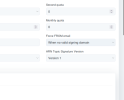
Users are unable to use their own verified sending-domain email address in the FROM email field. Even after successfully verifying their domain by configuring the required SPF, DKIM, and DMARC records, the system continues to display and use the default system FROM email address.
Expected behavior:
Once a user's sending domain has been successfully verified, the user should be able to select and send emails from an email address associated with that verified domain.
Current behavior:
The system continues to show the system/default FROM email address.
============================================================================================
Issue 2: Admin Unable to Block Individual Campaigns
The admin is currently unable to block or prevent an individual campaign when a user submits or attempts to send a campaign that does not comply with Acceptable Use Policy (AUP), or applicable requirements.
Expected behavior:
Admins should be able to review, block, hold, or reject individual campaigns that violate company's policies, contain prohibited content, or otherwise present a compliance or deliverability risk.
Current behavior:
Admins do not have an option to manually block or stop a specific non-compliant campaign before it is sent.
This control should apply to individual campaigns without necessarily requiring the entire user account to be suspended or terminated.
Users are unable to use their own verified sending-domain email address in the FROM email field. Even after successfully verifying their domain by configuring the required SPF, DKIM, and DMARC records, the system continues to display and use the default system FROM email address.
Expected behavior:
Once a user's sending domain has been successfully verified, the user should be able to select and send emails from an email address associated with that verified domain.
Current behavior:
The system continues to show the system/default FROM email address.
============================================================================================
Issue 2: Admin Unable to Block Individual Campaigns
The admin is currently unable to block or prevent an individual campaign when a user submits or attempts to send a campaign that does not comply with Acceptable Use Policy (AUP), or applicable requirements.
Expected behavior:
Admins should be able to review, block, hold, or reject individual campaigns that violate company's policies, contain prohibited content, or otherwise present a compliance or deliverability risk.
Current behavior:
Admins do not have an option to manually block or stop a specific non-compliant campaign before it is sent.
This control should apply to individual campaigns without necessarily requiring the entire user account to be suspended or terminated.
Last edited: